DMARC is now a vital element in the current email security architecture that assists organizations in combating advanced phishing schemes and email spoofing. With the ever-changing cyber threats, companies require strong DMARC software tools to protect their brand names and guarantee email authentication. The DMARC software will not only stop the usage of your domain by unauthorized persons, but also offers extensive reporting and monitoring features that make email security posture more comprehensive.
This full-fledged guide looks at the best DMARC software in the market today, its capabilities, strengths, weaknesses, and pricing plans, to guide you to make an effective choice regarding the email security of your organization.
What is DMARC and why is it Important?
DMARC is a robust email authentication scheme that can be used alongside SPF (Sender Policy Framework) and DKIM (DomainKeys Identified Mail) to establish a formidable security against email-related attacks. This protocol, when correctly deployed using a good DMARC software, allows domain holders to dictate how messages that fail authentication tests should be treated by the receiving email servers.
DMARC software has more significance than fundamental security. Those organisations that have efficient DMARC tools can reduce the chances of their domains being used in a phishing campaign, business email compromise attack, and other malicious attacks by a significant margin. Moreover, DMARC software can be used to ensure customer trust by making sure that legitimate emails are received by their recipients and the fraudulent ones are blocked.
The latest DMARC software systems allow companies to have more visibility than ever into their email ecosystems, showing both clean and malicious email traffic on their domains. This intelligence allows organisations to make sound decisions on their email security policies and to move safely towards enforcement modes by phasing out of monitoring.
Key Features to Look for in DMARC Software
During the process of assessing DMARC software in the market, there are crucial elements that may differentiate the best systems from simple ones. The best DMARC software has easily accessible policy configuration interfaces that make the otherwise complicated and technical task of configuring and administering DMARC records unnecessarily burdensome.
Quality DMARC software must have real-time capabilities of monitoring threats, which should be enabled to detect and respond to suspicious email activities. Best DMARC solutions will provide detailed dashboards that show the threat intelligence, authentication statistics, and policy compliance metrics in formats that can be easily digested.
High-quality reporting and analytics capability is another important feature of high-quality DMARC software. Organisations require solutions that are capable of processing and displaying DMARC aggregate and forensic reports in actionable formats, assisting security teams in comprehending their email environment and determining its weaknesses.
The ability to integrate with the current email infrastructure, as well as security tools, is an important factor during the choice of DMARC software. Its most effective solutions integrate seamlessly with the popular email applications, security information and event management, as well as other cybersecurity tools to establish security ecosystems.
Best DMARC Software (Top Picks)
1. DMARC Analyzer
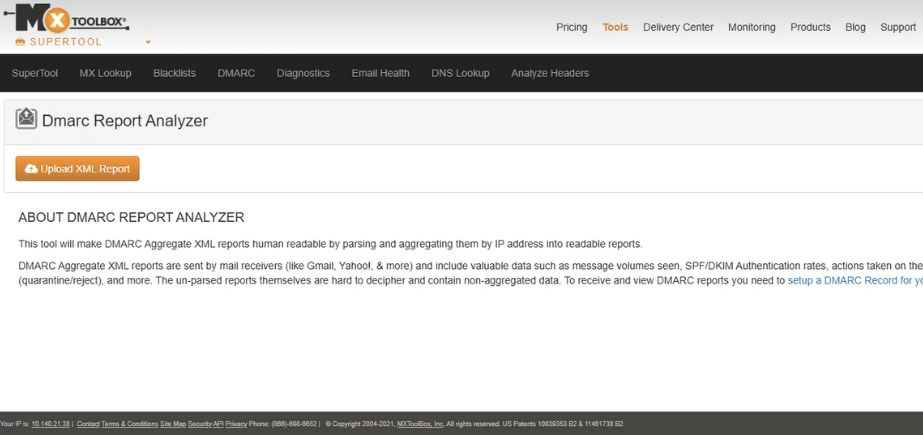
DMARC Analyzer is a solution that is highly relied on, and it makes DMARC easy to implement and monitor. It also gives comprehensive information about the outcome of email authentication, which can assist organizations in securing their domain against phishing and spoofing attacks. The site has superior reporting, visualization systems, and policy imposition directions to facilitate painless adoption. DMARC Analyzer simplifies the process of securing email infrastructure by allowing businesses of all sizes to have user-friendly dashboards and alerts. It is perfect in organizations that would want to have robust reporting and compliance features.
Key Features:
State-of-the-art threat intelligence, automated policy guidelines, multi-domain administration, and real-time surveillance dashboards.
Pros:
Easy-to-use interface, customer service, rich reporting features, and fair pricing.
Cons:
Some legacy email systems do not integrate well with it, and more advanced features can only be had in higher-tier plans.
Pricing:
Beginning at $99/month for small businesses.
Ideal Users:
Medium to big businesses that require an extensive DMARC management.
2. Valimail DMARC
Valimail DMARC focuses on auto DMARC implementation and scalability. It assists companies in shifting to full enforcement as opposed to monitoring within a short time, and this minimizes the chances of email-based fraud. The software application is based on AI-enabled authentication, easy-to-use dashboards, and real-time analytics to streamline policy management. Valimail is also integrated with large email providers to easily deploy. Valimail is a powerful option for large-scale companies as it comes with ease of use and is suitable when automation and swift compliance are necessary, but manual intervention is not.
Key Features:
Machine-assisted authentication configuration, machine intelligence in relation to threat detection, extensive sender identification, and automatic policy.
Pros:
Full service offering, large automation potential, enterprise-focused, and well-established API integration.
Cons:
Avoiding lower prices than the competitors might not be easy in smaller organizations.
Pricing:
Enterprise pricing is available at a price of about $300/month on average.
Ideal Users:
Enterprises of a large scale that need a fully managed DMARC.
3. EasyDMARC
EasyDMARC is an email authentication, threat monitoring, and domain protection system. The software provides comprehensive DMARC, SPF, and DKIM reporting, as well as practical recommendations to enhance the security posture. Its interface is user-friendly, which makes it easy to use by beginners and provides pro-level features such as high-end analytics and phishing prevention. EasyDMARC also provides organization services as managed services, which are popular among organizations that seek professional help. The solution is ideal in businesses that desire to have a balance between low cost, complete protection, and ease of use.
Key Features:
Drag/drop policy authoring, threat mapping, automatic reporting, and multi-language.
Pros:
The interface is highly easy to use, pricing is affordable, documentation is sufficient, and customer support is excellent.
Cons:
Little to no advanced customization, smaller feature set than enterprise solutions.
Pricing:
Free tier, paid as low as $29/month.
Ideal Users:
New businesses that are implementing DMARC.
4. OnDMARC
OnDMARC is an email security tool by Red Sift and provides an efficient implementation of email security. It takes organizations through a step-by-step process of monitoring to enforcement that eases the complexity in policy establishment. The site has a user-friendly dashboard, live threat reporting, and automated recommendations, making its assimilation user-friendly to businesses. OnDMARC can specifically be useful to the SMBs and enterprises in need of an oversimplified yet powerful DMARC implementation of email authentication with integrations to other major platforms such as Google Workspace and Microsoft 365.
Key Features:
Stable forensic analysis, threat intelligence, custom reporting, API-first architecture.
Pros:
Extensive forensic functionality, adaptable integration, affordable, and decent scaleability.
Cons:
A steeper learning curve for new persons, fewer managed service options.
Pricing:
Basic plans start at $49/month.
Ideal Users:
Technical departments that need special DMARC analytics and customization.
5. PowerDMARC
PowerDMARC is a robust, functioning platform that integrates DMARC, SPF, DKIM, BIMI, and MTA-STS to provide a full email security platform. It provides high-quality threat intelligence, live monitoring, and forensic reports to enable organisations to fight phishing and domain abuse. PowerDMARC also offers managed services, and this makes it an excellent option for businesses that do not have the expertise in-house. It can support multi-domain management and user-friendly dashboards; hence, it is appropriate in enterprises and governments that want to have a complete-spectrum email authentication and the ability to comply with international security standards.
Key Features:
Multi-protocol, white-label, advanced threat-hunting, compliance reporting.
Pros:
Extensive email authentication, white-label, decent reporting.
Cons:
Interfaces may be complex and user-friendly, but the cost may increase with the addition of features.
Pricing:
Starting from $79/month
Ideal Users:
MSPs and organizations that need full email authentication control.
6. Agari DMARC
Agari DMARC is a product of Fortra, which is devoted to the prevention of phishing and business email compromise (BEC). It provides enhanced threat detection, brand protection, and full DMARC reporting. The platform offered by Agari is based on AI insights and prevents suspicious activity through detection and blockage before it finds its way into the hands of users. Its dashboard allows the organization to implement DMARC policies with a high level of confidence and still deliver emails. Agari is recommended in any business and financial organization with a high probability of phishing and requires a sophisticated intelligence-based service to secure its email environment.
Key Features:
Modern threat intelligence, machine learning-based detection, full enterprise scalability, full API.
Pros:
Good threat intelligence, excellent enterprise capabilities, and good integration capabilities.
Cons:
With increased complexity, premium pricing, and technical skills are needed.
Pricing:
Custom enterprise pricing
Ideal Users:
An enterprise with complicated email security needs.
7. Postmark DMARC Digests
Postmark DMARC Digests are used to track and defend against abuse and phishing attacks of email domains belonging to business. They give a simple overview of DMARC (Domain-based Message Authentication, Reporting & Conformance) reports that translates complicated XML information into understandable information. Through these digests, users can easily know the unauthorised senders, authentication problems and deliverability risks. Postmark is designed to be easy to use and protect the email privacy of a non-technical team, providing weekly reports directly to your inbox, thereby ensuring that non-technical units can be confident in preserving domain reputation and ensure that recipients can continue to trust them.
Key Features:
Simplified digest reporting, automated threat detection, visual analytics dashboard, integration with Postmark email service
Pros:
User-friendly interface, clear reporting format, good customer support, affordable pricing
Cons:
Limited advanced customization options, smaller feature set compared to enterprise solutions
Pricing:
Starting from $39/month for basic plans
Ideal Users:
Small to medium businesses using Postmark email service and teams preferring simplified DMARC management
8. Dmarcian
One of the first DMARC-oriented websites is Dmarcian, which has profound knowledge of email authentication. The tool assists organizations in rolling out and administering DMARC policies and additionally offers comprehensive reporting and analytics. Dmarcian is focused on transparency and education, which is why it is one of the best sources of information for organizations that have not studied DMARC before. It also provides compatibility with SPF and DKIM. Businesses, non-profits, and government agencies are common users of Dmarcian to gain a reliable and simple way to ensure domain security and lessen email fraud.
Key Features:
Instructional materials, step-by-step implementation solutions, all-inclusive reporting, advisory services.
Pros:
High-quality learning material, excellent implementation instructions, and receptive customer service.
Cons:
Less advanced features are more expensive than comprehensive features.
Pricing:
Starting from $150/month
Ideal Users:
New organizations to DMARC need advice and training.
9. Mimecast DMARC Analyzer
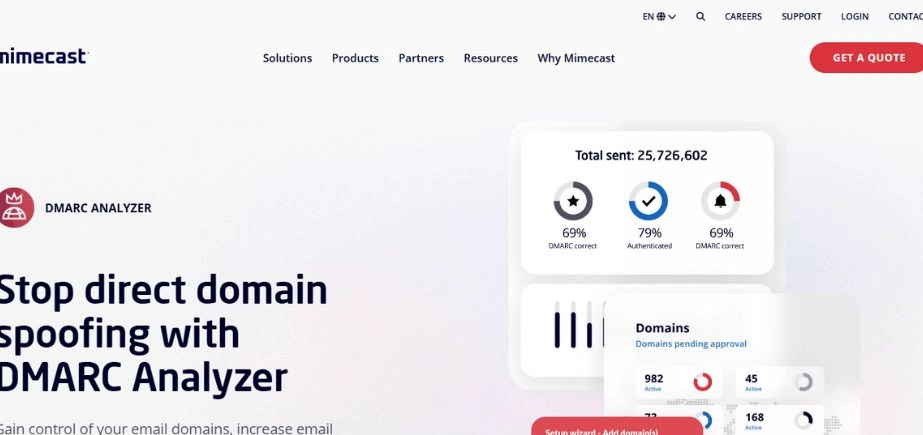
Mimecast DMARC Analyzer is a combination of the reliable email security background of Mimecast and powerful DMARC management. It provides full reporting, real-time information, and forensic analysis to protect domains against phishing and spoofing. The platform of Mimecast incorporates the policy of DMARC with more extensive email security controls, including filtering and threat identification. This has made it a one-stop solution for organizations that would prefer unified protection. Mimecast DMARC Analyzer is an excellent option when it comes to medium and large enterprises that require enterprise-level security with centralized control.
Key Features:
Unified email security software, threat protection, full reporting, and managed services.
Pros:
End-to-end security, high-quality threat mitigation, and enterprise quality.
Cons:
Needs the Mimecast platform, which is more expensive and difficult to implement.
Pricing:
Some of the Mimecast platform pricing.
Ideal Users:
Current Mimecast clients and organizations of a high size.
10. Proofpoint DMARC
Proofpoint DMARC is an organization-focused product that is aimed at ensuring strong protection against email impersonation and fraud. It also works well with the overall security range of Proofpoint, offering analytics, policy suggestions, and automatic reporting. Proofpoint is a visibility-focused tool that allows the security staff to monitor threats in various domains and act promptly. The exertion can also help in the attainment of complete enforcement without jeopardizing the email deliverability. Proofpoint DMARC will be a good fit with large corporations that value more advanced threat intelligence, compliance, and integration with broader cybersecurity systems.
Key Features:
Scalability to the enterprise level, threat detection, sophisticated compliance reports, and managed services.
Pros:
High enterprise attention, high-quality threat intelligence, full platform integration.
Cons:
Premium pricing is very technical, and a high level of complexity will demand technical resources.
Pricing:
Custom enterprise pricing
Ideal Users:
Enterprises having existing Proofpoint infrastructure in place.
How to Choose the Right DMARC Software for Your Business
The choice of the right DMARC software is to be based on the needs of your organization, its technical ability, and budget possibilities. Firms with small technical capabilities need to focus on DMARC tools that have a managed service, preconfigured, and comprehensive support facilities.
The aspect of the budget is important in the DMARC software selection. Although the entry fees of certain solutions can be free or relatively cheap, the overall cost of ownership, such as the cost of implementation, training, and continued management costs, should also be considered by the organizations.
The other important aspect in the selection of DMARC software is scalability. Expanding organizations require a solution that can meet the growing volume of emails, new domains, and changing security needs without necessitating migration to the platform.
The cloud-based DMARC software solutions usually have better scalability, automatic updates, and less infrastructure needs than their on-premises counterparts. Nevertheless, companies that demand strict data sovereignty criteria might want to use on-premises or hybrid deployment solutions.
Advantages of the DMARC Software Implementation.
Companies that deploy quality DMARC software achieve considerable enhancement of their total email security stance. These solutions offer real-time safeguards against phishing attacks, business email compromise attacks, and domain spoofing incidents that may tarnish brand reputation and destroy customer confidence.
Better email deliverability is also another significant advantage of the DMARC software implementation. Authentication of legitimate emails and clear policies regarding suspicious messages can enhance an organization’s reputation as a sender and send its important messages to the correct recipient.
DMARC software is also useful in assisting organizations to comply with a number of requirements of email security and data protection. Email authentication has become a critical part of the security controls in many regulatory frameworks, and the implementation of DMARC is not only a good security measure but also a requirement of compliance.
The end-to-end reporting and analytics offered by the current DMARC software allow organizations to gain more control over their email ecosystem than ever before, uncovering possible vulnerabilities and improving their email authentication policies at all times.
Conclusion
The use of powerful DMARC software has been critical to those organizations that want to secure their brand name, prevent email-based attacks, and guarantee the confidence of customers in an ever-more perilous online environment. The solutions discussed in this guide are the most optimal solutions to various organizational requirements, regardless of whether they are basic solutions for the small business or long-deployed enterprise-level ones.
Through proper consideration of your unique needs and the proper choice of DMARC software, your organization can attain a much improved security position by improving email security and overall improving deliverability and compliance. It is one of the most effective cybersecurity investments one can make today because the investment in quality DMARC software prevents the occurrence of much more expensive security incidents tomorrow.
FAQs
What is the distinction between DMARC, SPF, and DKIM?
DMARC is both an umbrella policy framework that utilizes SPF (Sender Policy Framework) and DKIM (DomainKeys Identified Mail) to deliver end-to-end email authentication. Whereas SPF checks the authorization of the sending server and DKIM assures the integrity of the messages by means of cryptographic signatures, DMARC software is capable of enforcing policy and report capabilities that bind these protocols together into a unified security system.
Do small businesses need DMARC software?
Yes, DMARC software is becoming more and more significant to any company. Cybercriminals usually target small businesses because they tend to have fewer security systems. Most DMARC tools are currently providing cheaper offerings that are targeted at smaller firms, and several providers are providing free levels that offer low-level protection and reporting functionalities.
What is the level of difficulty in implementing DMARC?
Implementation of DMARC is very complex, depending on your email infrastructure and the selected DMARC software. The current DMARC implementations have made the process much easier, and most of them provide guided setups, configuration wizards, and hosted services that take care of the implementation details. Companies that have complicated email systems might need extra time and skills, and accessible DMARC software can allow non-technical users to undertake simple implementations.
Is DMARC a better email deliverability tool?
Yes, the DMARC software, when correctly implemented, can dramatically enhance the rate of email deliverability. DMARC fails to ensure sender reputation with email providers as it authenticates legitimate emails and gives definite policies on how to handle unauthorized messages. DMARC reporting software also includes insight into delivery problems and authentication failures, which can be improved to enhance performance on deliverability.
Is it possible to operate DMARC without software tools?
Although the technical aspects of implementing DMARC allow basic implementation without specialized software, it is impossible to effectively run DMARC on a large scale without specialized DMARC tools. DMARC reports consume time and are prone to errors, so it is not viable in most organizations to process them manually. The DMARC software offers necessary automation, reporting, and policy management features that are hard to achieve manually, particularly when the number of emails is growing and the complexity of the domains.